How to Choose the Best Facial Recognition Solution: 7 Success Factors
Facial recognition is constantly improving thanks to scientific advancements in Artificial Intelligence (AI). Improvements include increased accuracy in detecting complexion, age, gender, and ethnicity, even in poor lighting. Significant improvements in power, cost, and hardware size allow for a wide range of use cases across multiple industries of all sizes. With many choices and increasingly more options, the question is not “should I adopt a facial recognition system?” but “what is the best facial recognition system for me?”
When choosing a facial recognition system you must consider many factors. While each implementation is unique, the success factors are largely the same. Below you will find our guide to ensuring successful implementation of your facial recognition solution.
The Basics of Facial Recognition
What is Facial Recognition?
Facial recognition technology detects faces, extracts features, and creates a facial template to compare against an existing database to verify a person’s identity. It is becoming increasingly more mainstream.
What Can Facial Recognition Be Used For?
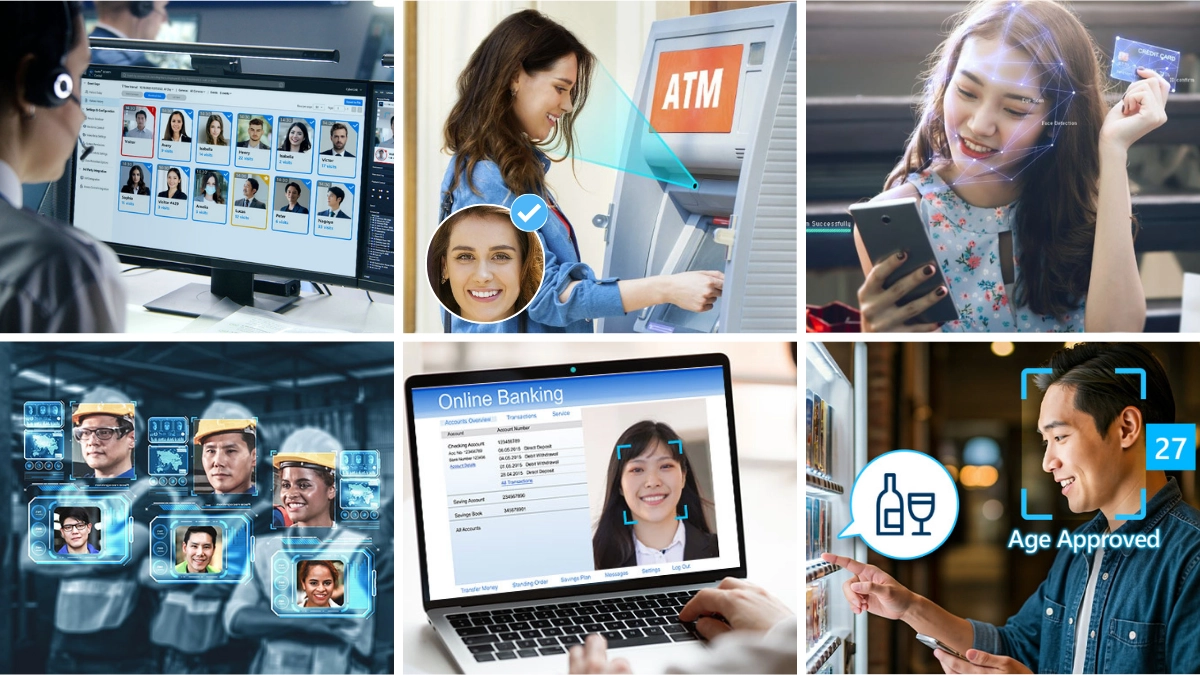
There is a tremendous variety of facial recognition use cases, such as access control, surveillance and security, time and attendance, and banking. You can find out more about the top 7 use cases of facial recognition in our accompanying articles.
The Edge or Cloud: Where Should I Deploy Facial Recognition?
You can deploy facial recognition in both edge and cloud environments. Edge devices include smart locks, self-service kiosks, and mobile banking apps. Some benefits of deploying facial recognition at the edge are: lower cost of ownership, faster response time, and better service availability. If you are interested in deploying facial recognition at the edge, you can read Facial Recognition at the Edge – The Ultimate Guide 2022.
What is the Best Facial Recognition Solution for Your Organization?
The most important consideration for deploying facial recognition is whether or not you can utilize in-house expertise (e.g., a software engineer) to develop the solution from scratch. If not, you can use a solution like a facial recognition SDK. To learn more about which facial recognition solution is right for you, check out the best facial recognition software solution – FaceMe.
7 Success Factors for Choosing the Best Facial Recognition Solution
Choosing the Best Facial Recognition Solution
- Accuracy – How accurate do I need it to be?
- Features – What facial recognition features do I need?
- Performance – How fast do I need it to be?
- Architecture – Should I consider edge, cloud, or hybrid (edge + cloud) architecture?
- Hardware – What devices and chipsets are best?
- Software – Should I develop from scratch using a facial recognition SDK or use a turnkey plug and play solution?
- Costs – What are the initial and recurring costs of my solution?
1. Accuracy
There are two levels of facial recognition accuracy:
- Software accuracy: Accuracy depends on the right chipsets and cameras for your model. For example, FaceMe® ranges from 6.7 to 300 Mb and is optimized for low-power chipsets for maximum flexibility and wide application.
- Algorithm accuracy: The National Institute for Standards and Technology measures algorithm accuracy in its standardized Facial Recognition Vendor Test (FRVT). FaceMe scored an accuracy rate of 99.73% in FRVT 1:N Identification against a database of 1.6 million images, proving its powerful precision.
Why is accuracy important to facial recognition?
Accuracy is a critical aspect of a facial recognition system because it protects and monitors access to facilities, confidential data, or controlled substances. The most accurate facial recognition algorithms require more storage and processing power, significantly increasing the total cost of deployment. For this reason, we recommended considering solutions from vendors who regularly update algorithms and are vetted and highly ranked in industry testing such as the FRVT.
Some of the most popular use cases for facial recognition will not need a 99% level of accuracy, but we always recommend utilizing a solution that performs no lower than the 95th percentile.
Accuracy Requirements by Use Case
More important
Less important
Bank security access:
Protects valuable financial assets, leaving no room for error
Stadium turnstiles:
Requires a moderate degree of accuracy so that people don’t need to make multiple entry attempts. Flow of movement and reliable hardware are more critical aspects here
Accuracy Requirement by Vertical
More important
Less important
Large-scale smart factories:
High liability scenario; protects machinery and personnel
Smart homes:
Smaller quantity of users and less incentive for bad actors; other success factors such as cost and form factor are more important here
Accuracy Requirement by Deployment Scale
More important
Less important
Large department stores: :
Need to identify VIP and blocklisted customers across a sizeable national database
Local shops:
Fewer customers and smaller database
2. Features
-
Face Recognition
- Face detection
- Facial template extraction
- Face search
- Face compare & match
-
Face Attribution
- Gender
- Age
- Facial expression
- Head orientation
-
Image Pre-processing
- Anti-spoofing with 2D camera
- Anti-spoofing with 3D depth camera
- TrueTheater™ enhancement
-
Face with Masks
- Mask detection
- Facial recognition through masks – TAR up to 98.21%
Each facial recognition solution offers specific features, but every solution should provide three essential features:
- Face Detection
In this step the system searches for human faces. Fast, precise face detection is critical for ensuring high performance throughout the facial recognition process. The best facial recognition systems, like FaceMe, can detect multiple faces at once, count the number of faces present, and perform detection on each of them individually. - Face Recognition
Once a face is detected the software looks for unique features to match with pre-enrolled faces in a database to confirm identity. Given the importance of privacy, we strongly advise that you select a system with a high standard of encryption, making the data unusable to unauthorized individuals. When using a highly encrypted template, no actual face images are stored on the platform, ensuring full privacy protection. - Face Attribute Detection
Face attribute detection analyzes characteristics such as age, gender, facial expression, and head orientation (e.g., nodding, shaking). This feature allows for smart retail and digital signage via dynamic, customized ads and messages to micro-targeted audiences, as well as for collecting detailed visitor statistics.
The most advanced facial recognition solutions, such as FaceMe®, also include enhanced features:
- Image Enhancement
Enhancing image quality enables more precise facial recognition. - Anti-Spoofing
Anti-spoofing provides liveness detection for 2D and 3D cameras. With 2D cameras, such as USB webcams, interactive anti-spoofing measures detect natural head or facial movements to confirm the presence of a live person. Non-interactive measures are unique to each solution provider and their AI algorithm for face detection and recognition. - Mask Detection and Facial Recognition with Masks
Mask detection features, designed for public safety and health applications, detect the presence of a mask and verify that the mask is fitted correctly, fully covering the nose and mouth. Some advanced solutions, such as FaceMe, also provide high facial recognition accuracy on masked faces.
Choosing between advanced and basic features
Features by Use Case
Advanced
Basic
Access control for a secure warehouse:
Anti-spoofing ensures spoofers cannot use photos/videos of approved personnel to bypass the system
Recognition for retail loyalty programs:
Anti-spoofing is less critical as the likelihood that individuals would try and spoof the system is very low
Features by Vertical
Advanced
Basic
Smart city:
Mask detection features are necessary for public health and safety, especially during the current pandemic conditions
Smart home:
Mask detection is unnecessary as individuals do not wear masks in their own homes
Features by Deployment Scale
Advanced
Basic
Shopping mall:
The ability to detect multiple faces concurrently is critical when scanning large groups for block-listed individuals
Individual employee entrance:
When used for identity verification and employee clock-in/out, only one individual is scanned at a time making multiple face detection unnecessary
3. Performance
As with accuracy, many factors affect the performance of a facial recognition system. Let’s break them down:
- Frames per Second (FPS)
The number of pictures taken and transmitted to the facial recognition system per second. Higher FPS can provide higher accuracy and performance. - Detection Speed
Measures how quickly the system can scan, detect facial features, and recognize faces. - Extraction Speed
The speed at which the facial recognition system extracts facial data. - Recognition Speed
The speed at which the facial recognition system extracts facial data.
To achieve the best performance, you will also need optimal chipsets and software for your specific scenario.
- Chipsets: Standalone GPU or VPU chips, such as the NVIDIA RTX series with a separate CPU, can boost performance. However, there are still multiple options for GPU acceleration. For example, harnessing NVIDIA Jetson, Intel Core, Qualcomm SNPE, or MediaTek i350 can speed up deep learning algorithms and optimize performance.
- Software: Optimization of facial recognition software also depends on chipsets and system architecture. For example, on a single workstation, FaceMe with NVIDIA RTX A6000 can handle 340 to 410 FPS (depending on the FaceMe facial recognition model used). This is equivalent to handling 25 to 41 concurrent video channels (each with 10 FPS) per workstation – a high-performance option.
When is performance important?
Performance is critical in multiple use cases. For example, deployments in larger facilities often need hundreds of video channels running concurrently. High-performing facial recognition models can significantly reduce the number of expensive workstations required to monitor such facilities.
The following section compares edge and cloud architecture for facial recognition systems. Edge systems generally perform facial recognition much faster, as sending images or video to the cloud for processing increases response times – from milliseconds to several seconds.
Features by Use Case
More important
Less important
Airport monitoring:
Must identify and detect hundreds of faces concurrently, requiring more powerful hardware to process enormous volumes of data simultaneously
Library check-out:
Scans individual faces at check-out, so performance is less crucial since the system only performs one facial recognition at a time
Features by Vertical
More important
Less important
Warehousing/logistics:
Many individuals in a large facility with multiple camera feeds requires high-performing facial recognition
Small offices:
Processing one or two faces at a time, in a facility with feweraccess points , requires less performance power
Features by Deployment Scale
More important
Less important
Large facility with multiple video feeds:
Additional video feeds affect processing time and performance and require higher-performance chipsets and software
Small facility with one video feed at the entrance:
Single video feeds do not affect system performance, so performance is not likely to be a top factor when selecting system components
4. Architecture
Whether edge or cloud-based, architecture impacts the security and performance of your facial recognition system and is an essential consideration for operators seeking maximum speed. Edge-based systems operate faster because information does not have to be sent back and forth to the cloud, usually adding several seconds of transmission time.
Edge-based systems offer additional benefits:
- Security: Edge-based systems are more secure, maintaining data locally instead of sending vulnerable information to the cloud where it could be intercepted.
- Flexibility: Edge-based systems are more flexible for various use cases where cloud access may not be available.
However, the cloud can be a better option for use cases with specific characteristics:
- Infrequent use: such as protecting an infrequently visited facility
- Tolerance for lower accuracy: in lower risk deployments such as retail loyalty programs
- Significant hardware cost constraints: in cases where existing hardware cannot be replaced and depends on cloud infrastructure
5. Hardware (Facial Recognition Devices and Chipsets)
When selecting a facial recognition system, hardware is sometimes a constraining factor. Thanks to evolving innovation in hardware and chipset technology, there are ever-increasing device options on the market to best address speed, power, form factor, and cost constraints. These innovations have opened many new use cases for facial recognition that were previously impossible.
Depending on your cost and performance needs, various chipsets can run facial recognition. A summary follows, but read our accompanying article for more in-depth coverage.
When to choose between higher and lower performing hardware?
Features by Use Case
Higher-performing
Lower-performing
College campus health and security desk:
Monitoring security and mask usage in a pandemic across a college campus requires hundreds of cameras and powerful hardware such as workstations or servers
Apartment building smart locks:
Hardware for facial recognition powered individual door locks (a smart AIoT device) would be more dependent on form and less constrained by performance
Features by Vertical
Higher-performing
Lower-performing
Hospitals:
Running multiple video feeds verifying identity and mask-wearing simultaneously for security, access control, and health monitoring uses, is going to require more robust hardware such as a workstation
Individual retail store:
This smaller-scale application runs fewer video feeds and should prioritize cost and convenience over performance when selecting hardware. A PC is likely the most convenient option
Features by Deployment Scale
Higher-performing
Lower-performing
Nationwide chain of retail stores:
Monitoring hundreds of video streams and photos from IP cameras in multiple stores is a large-scale application dependent on a hybrid model. This requires high-performing workstations in each store to perform face detection and extraction, combined with centrally-located, high-powered servers to match captured facial templates with a central database
Individual hotel:
Implementing a facial recognition system for an individual hotel places less pressure on performance: a PC or workstation are both appropriate
6. Software
Facial recognition software processes information extracted from video feeds to detect faces and determine matches. Let’s compare plug-and-play vs. software development kits (SDKs).
Plug-and-Play Software
Facial recognition solutions used to exist only in the form of a software development kit (SDK). SDKs are generally flexible and allow you to deploy perfectly tailored solutions, but they require significant programming and integration work. Plug-and-play software is now available and is a great option with a quicker timeline for well-defined use cases. Options like FaceMe Security are preset to accommodate typical security use cases like access control and monitoring.
Plug-and-play solutions have the software infrastructure needed for easy implementation, are highly scalable, and can be deployed in single-camera to multi-camera, multi-location scenarios. They can connect with existing cameras and networks, and superior solutions can even connect with other systems such as VMS, door locks, time and attendance software, etc.
Software Development Kits (SDKs)
SDKs are highly flexible for unique scenarios where you want complete control of the facial recognition algorithm. SDKs allow organizations to leverage facial recognition in existing workflows and processes, but it’s important to note that you will need robust internal computing or IT talent to integrate the SDK into your existing software infrastructure.
Features by Use Case
SDK
Plug-and-play
Patient management and access control in a hospital environment:
This type of facility depends on a series of uniquely designed processes and systems, each often running on its own platform, so an SDK would be a more flexible software format
Retail store or a chain of standardized stores for security and access control:
If there is an existing security system or video management system (VMS) connecting cameras, then a plug-and-play solution is attractive as it requires minimal deployment time, is cost-effective, and needs little to no maintenance
Features by Vertical
SDK
Plug-and-play
Retail banks:
If a bank wants to change its entrance readers from credit card scanners to facial recognition, they would likely incorporate it into existing systems and enterprise infrastructure, so an SDK would be a better fit
Security and access control in a large office building:
The building will likely already have a VMS with security cameras and door access control, making it easy to connect with a leading plug-and-play option
Features by Deployment Scale
SDK
Plug-and-play
- Since good software solutions are scalable, size is not deciding factor between an SDK or plug-and-play option
- Plug-and-play solutions address a relatively standard set of functionalities or use cases
- SDK solutions typically come with significant integration costs that are more appropriate for larger organizations. However, with decreasing hardware costs and exponential improvements in chipset performance, you can now integrate facial recognition SDKs in mass-market AIoT devices at a reasonable cost
7. Costs of Facial Recognition Technology
Before integration it is wise to consider costs for the lifespan of your facial recognition system. Some of the core components to consider are:
- Initial Costs
These include one-time expenses and investments, including but not limited to: research, PoC, hardware, software, integration, training, initial data creation, and legacy equipment retrofitting. - Recurring (Variable) Costs
Ongoing costs may include system maintenance, facial recognition software subscription costs, monthly bandwidth and energy expenses, server rentals, and cost of capital. - Obsolescence
To avoid outdated components, timely upgrades to equipment, operating systems, and software will be required. - Replacement Cycles
Systematically replacing hardware and software components ensures you are using the most up-to-date technology optimized for best performance and lower costs (including maintenance and energy costs). - Costs Relative to Implementation Size Many costs are tied to the size of your deployment scenario and should be considered in overall cost estimations. For example, securing more buildings requires more hardware stations, therefore higher software costs and higher monthly costs for maintenance, energy, bandwidth, etc.
Here are some examples of costs relative to deployment size, in increasing order:
TYPE OF COST
SCENARIO
Small shop, single location
Chain of small shops, multiple locations
Large facility, single location (e.g., factory)
Large facility, multiple locations(e.g., national grocery store chain)
Software
Small shop, single location
Low:
Plug-and-play software tied to a low number of video feeds
Chain of small shops, multiple locations
Higher:
Driven by multiple video feeds
Large facility, single location (e.g., factory)
Minimal (software-based) to potentially significant (SDK-based):
Installation costs and billing are based on the number of video feeds; deployment costs can be high
Large facility, multiple locations(e.g., national grocery store chain)
Minimal (software-based) to potentially significant (SDK-based):
Installation costs are based on the number of locations and size of deployments. Costs typically grow with the number of locations, although you may receive discounts on bulk orders; deployment costs can be high
Hardware
Small shop, single location
Low:
Less expensive hardware needed, often a reasonably performing PC
Chain of small shops, multiple locations
Relatively low:
A PC or low-cost specialized computer (e.g., NVIDIA Jetson) and a few cameras at each location; at least one server if there is data on customers, employees, or block-listed people
Large facility, single location (e.g., factory)
Higher:
One or more workstations with multiple GPUs or VPUs, paired with sizeable camera deployment at that one facility
Large facility, multiple locations(e.g., national grocery store chain)
Higher:
One or more workstations with multiple GPUs or VPUs, paired with sizeable camera deployments at each facility. In addition, each location or regional center will probably need one or more servers for database hosting and sharing
Integration and training
Small shop, single location
Low:
For plug-and-play software, this is often included in packages offered by the VAR that sold the system
Chain of small shops, multiple locations
Reasonable:
Driven by the number of areas/shops and geography covered
Large facility, single location (e.g., factory)
Moderate to high:
Requires learning a more complex system
Large facility, multiple locations(e.g., national grocery store chain)
Recurring:
May need qualified, outsourced trainers visiting each location on a rotating basis
Recurring
Small shop, single location
Minimal monthly energy costs
Chain of small shops, multiple locations
Relatively low
Monthly energy and bandwidth costs are driven by the number of locations
Large facility, single location (e.g., factory)
Monthly
Monthly energy costs as well as potential monthly maintenance with integrator or VAR
Large facility, multiple locations(e.g., national grocery store chain)
Significant bandwidth and energy costs; likely has a monthly maintenance contract with integrator
Creating the Best Facial Recognition System for You
Many options are available for designing a facial recognition solution for your unique scenario. Each decision you make will impact the solution's effectiveness in meeting your needs. A smart approach starts with familiarizing yourself with the range of options available. Since technology and solutions are always rapidly improving, learning about trends will inform your testing and deployment timeline. You can then focus on the more crucial factors for deployment success, such as performance, features, hardware, etc.
It can also be helpful to learn about successful facial recognition deployments and failures in your industry. Many industries have associations and task forces to help members monitor and analyze facial recognition technology.
Finally, use the culmination of this information to build your unique blueprint or decision tree that will guide the right decisions and ultimately result in the best solution for your unique needs.
To learn more about choosing the right facial recognition system for your company, please visit the FaceMe® official website or contact our sales team today!