

search cyberlink website user log-in change language
PowerDirector 365 app icon

PowerDirector 365

Powerful Video Editing

Get it on Google Play
PowerDirector 365 PCMag Editors' Choice: PowerDirector, rated 5.0 out of 5, Exemplary
Best Overall, 2026

5.0 Exemplary, PCMag

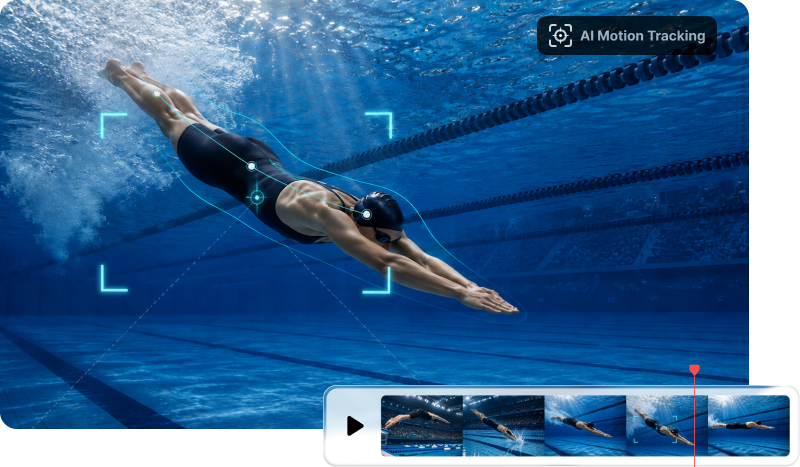
AI Motion Tracking
That Follows Any Object

Auto-track any moving object and attach text, graphics, or effects that follow it. Fine-tune the tracking frame by frame for precise results.

AI Motion Tracking That Follows Any Object

What You Can Do with AI Motion Tracking

Automatic Tracking with Frame-Perfect Control

Automatic Tracking with Frame-Perfect Control

Mark your subject once and AI maps its path across every frame, so there is no manual keyframing to do. When a shot gets tricky, switch to single-frame mode and nudge the tracker by hand. Your text and effects stay locked on even when the subject moves fast or briefly slips behind something.

Free Download 
Pin Text, Graphics, and Effects to Moving Subjects

Pin Text, Graphics, and Effects to Moving Subjects

Attach a title, name tag, sticker, or spotlight effect that follows your subject. Want to hide something? Apply a mosaic or blur to a moving face or license plate, and it will track automatically. Perfect for adding captions to vlogs or covering up license plates in street footage.

Free Download 
Track Multiple Objects in One Clip

Track Multiple Objects in One Clip

Follow more than one subject at the same time. Add a separate tracker for each person or object on screen, and give every tracker its own caption or effect. This helps when you need to label two players in a sports clip, or tag several people in a group scene as they move around.

Free Download