Agentic AI
Create effortlessly with agentic AI that understands your footage, identifies key moments, and automatically crafts polished, ready-to-share videos, showing how your content is enhanced from start to finish.
무료 다운로드




강력한 동영상 편집


Create effortlessly with agentic AI that understands your footage, identifies key moments, and automatically crafts polished, ready-to-share videos, showing how your content is enhanced from start to finish.
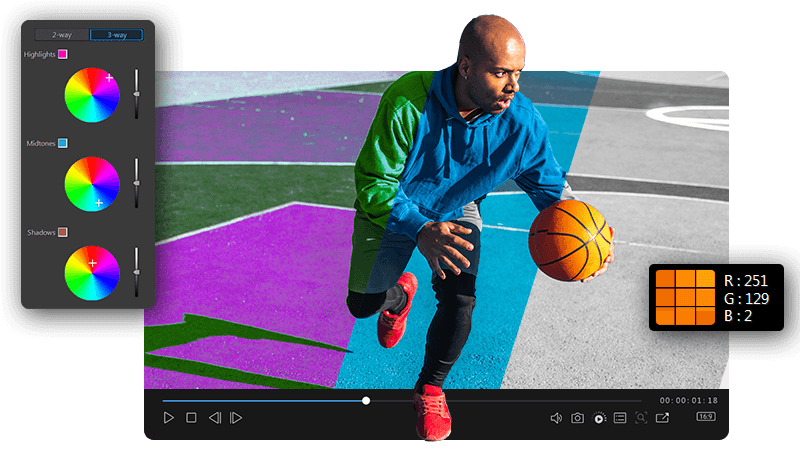
무료 다운로드Transform your visuals with AI-powered background removal, precision lighting and color enhancements, and advanced stabilization that delivers smooth, professional results every time.
무료 다운로드Elevate your audio with natural-sounding text-to-speech, fast and accurate transcription, and intelligent noise reduction that keeps every word crisp and clear.
무료 다운로드Take control of your story with flexible timeline editing and intuitive text-based tools, then enhance it with templates, effects, music, and premium Getty Images content built right in.
무료 다운로드New model test - Video Switcher Two Thirds
New model test - Feature Card Grid
Feature Card Grid Upload Image

Feature Card Grid
New model test - Horizontal Slider description
Control story structure, flow, and voice using your own words, while AI Storytelling handles the editing work.
Define your narrative first. Use AI storyboarding to organize clips into a clear structure, while you retain full creative control over order, pacing, and intent.
Control pacing, scene changes, and structure by rewriting scene descriptions. Your words control how the story unfolds.
Bring your story to life with expressive AI narration that adds tone and emotional flow. Use preset voices or clone your own to deliver personal and recognizable messages. No extra production needed.
Instantly transform clips and photos into a polished video, automatically highlighting the best moments and shaping them into a share-worthy story.
Add up to 100 clips or photos and let AI instantly turn them into a polished video, no manual editing required.
AI detects faces, objects, scenes, and motion to reveal your most meaningful moments and shape them into a cinematic story.
Choose a 15-90 second highlight reel, or let AI craft a longer cinematic cut, perfect for quick posts or complete videos.

Streamline your creative process with cutting-edge AI tools so you spend less time editing and more time attracting new subscribers.

Craft branded content for any platform that tells your unique story, using intuitive drag-and-drop editing and an endless selection of creative assets.

Create scroll-stopping videos to get more likes and followers in no time.

CyberLink PowerDirector 365 is fast and full of exceptional features, giving you pro-level video editing tools in a user-friendly design.

Feature-packed tool that caters to beginners, intermediates, and pros alike.
PowerDirector is loaded with all of the same essential editing tools as peers, and it supports all of the latest formats and technologies.
PowerDirector is an intuitive yet powerful video editing software that combines cutting-edge AI tools, creative effects, and built-in stock media to help you craft professional-quality videos with ease.
Perfect for beginners, creators, and enthusiasts, PowerDirector provides advanced results without the complexity of professional software. With smart templates, AI-powered automation, and a simple drag-and-drop interface, you can create cinematic videos in minutes.
As your creativity expands, PowerDirector scales with you, offering advanced timeline controls and precision editing tools for unlimited creative freedom.
When you get PowerDirector, you don’t just get powerful video editing software, you gain access to a full learning ecosystem. Start with the PowerDirector Learning Center and our official YouTube tutorials, where you’ll find step-by-step guides, expert tips, and creative inspiration.
These resources are designed to help you master editing techniques, keep you up to date with the latest features, and grow your creative confidence with every project.
Yes. Download PowerDirector Essential to start editing for free. Try a full range of features, explore creative effects, and experience a powerful suite of AI tools designed to make editing effortless.
When you’re ready to take your projects to the next level, upgrade anytime to unlock our complete library of premium effects, AI features, and millions of royalty-free stock assets.
Yes. You can choose between a one-time purchase of PowerDirector 2026 or a PowerDirector 365 subscription.
The one-time version gives you lifetime access to the essential editing tools, while PowerDirector 365 keeps you up to date with every new AI feature, template, effect pack, and performance update, and provides access to millions of stock assets, allowing your editing to scale as your projects grow.
For a detailed comparison of each plan and what’s included, visit our Pricing Page.
PowerDirector supports all major video formats including MP4 (H.264/H.265), MKV, WMV, and MPEG-2, up to 4K resolution. It’s fully compatible with today’s most popular cameras, smartphones, and social platforms, ensuring smooth sharing.
Yes. You can upload directly to TikTok, YouTube, Facebook, and Vimeo right from your editing timeline. PowerDirector automatically optimizes your exports for each platform’s recommended format and resolution.
Yes. PowerDirector includes a built-in library with millions of high-quality stock videos, photos, and music from Getty Images and Meta. You can search, preview, and add content directly to your timeline.
No downloads or external tools required. With a PowerDirector 365 subscription, your creative library expands even further, unlocking unlimited access to premium stock assets, new AI effects, and exclusive design templates added every month.
 파워디렉터 365